PoE Switches Explained for Camera Installs: PoE vs PoE+, Power Budget and the 100 m Rule
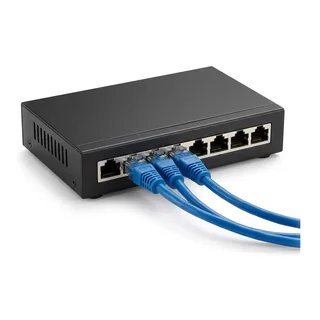
Power over Ethernet (PoE) sends electrical power and network data down the same cable. For IP cameras that means one Cat6 cable from the switch to each camera, no power adapter on the wall, and the option to power everything from one point that sits on a UPS. Choosing the switch is mostly about three numbers: the PoE standard, the total power budget and the cable length.
The PoE standards
PoE is defined by IEEE 802.3 standards. The power the switch sends out is higher than what reaches the device, because some is lost in the cable.
| Standard | Common name | Per port from the switch | Available at the device |
|---|---|---|---|
| 802.3af (Type 1) | PoE | 15.4 W | 12.95 W |
| 802.3at (Type 2) | PoE+ | 30 W | 25.5 W |
| 802.3bt (Type 3) | PoE++ / 4PPoE | 60 W | 51 W |
| 802.3bt (Type 4) | PoE++ / 4PPoE | 90 W | 71.3 W |
In practice:
- Most fixed dome, bullet and turret cameras run on 802.3af. Check the maximum power in the datasheet; it includes IR or white lights at night.
- Cameras with strong illuminators, heaters, motorized lenses and many PTZ cameras may need 802.3at (PoE+). Large PTZ cameras with heaters or long-range lights can need 802.3bt or their own power supply.
- Access points and video intercom door stations often run on af or at.
Standard PoE switches negotiate with the device before sending power, so they will not push power into a laptop or a device that does not ask for it. Avoid mixing in passive PoE injectors or switches, which send a fixed voltage without negotiation and can damage equipment that is not designed for them.
The power budget
A switch has a power rating per port and a total PoE budget for all ports together. An 8-port PoE+ switch does not necessarily supply 30 W on every port at once. If its budget is, say, 65 W, the eight cameras must share 65 W.
When the total demand goes over the budget, the switch cuts power to some ports according to its port priority settings. Cameras that reboot at night, when the IR turns on, are a classic sign of a budget that is too tight.
Worked example
A villa has 7 cameras. The datasheets give these maximum values:
- 6 turret cameras at 6 W maximum each: 36 W
- 1 camera with a white light and a speaker at 11 W maximum: 11 W
Total: 47 W. Add about 20% headroom for cable losses, aging and one future camera: roughly 56 W. A switch with a 65 W budget covers this, with all 7 cameras within 802.3af limits.
Now add a PTZ camera rated at 25 W. The total becomes 72 W, about 86 W with headroom. The 65 W switch is no longer enough; you need a larger budget, or power the PTZ separately, and its port must be PoE+ (802.3at).
Always use the maximum power from the datasheet, not the typical figure, because the night load with illuminators on is what the switch must survive.
Cable length: the 100 m rule
Twisted-pair Ethernet is specified for a channel of up to 100 m: up to 90 m of fixed cable plus up to 10 m in total of patch cords at both ends. Beyond that, data errors and power loss increase, and the link is outside the standard.
For longer distances:
- Put an outdoor-rated PoE switch or a PoE extender halfway, inside a weatherproof box.
- Use fiber for long runs between buildings, with a media converter or SFP ports at each end.
- Some CCTV-oriented switches have an extended-distance mode that lowers the port speed to reach further. If you rely on it, check the exact distance and speed in that model's datasheet.
Cable quality matters for PoE
- Use solid pure copper Cat6 cable. Copper-clad aluminium (CCA) cable has higher resistance, which wastes power and heats up under PoE load.
- Use outdoor-rated, UV-resistant cable or conduit for runs exposed to sun.
- Terminate connectors carefully. A poor crimp can pass data in a quick test but fail under PoE load.
Other switch features worth checking
- Uplink ports: Gigabit uplinks to the NVR or router, and SFP ports if you need fiber.
- Port speed: one camera stream is usually a few megabits per second, so 100 Mbps PoE ports are enough for cameras. Gigabit PoE ports are useful for access points.
- Unmanaged, smart or cloud-managed: unmanaged switches are plug and play. Smart and cloud-managed switches add VLANs to separate cameras from the home network, port power control and remote monitoring.
- Auto-recovery or PoE watchdog: some switches can power-cycle a camera that stops responding, which saves a site visit.
- Fanless design for homes and quiet offices, but give it ventilation.
NVR PoE ports or a separate switch?
Many NVRs have built-in PoE ports, which is tidy for small systems where all cables come back to one place. A separate PoE switch is better when cameras are spread across floors or buildings, when you need more power budget than the NVR offers, or when you want to place the switch closer to the cameras to stay within 100 m. Check the NVR's total PoE budget too; it is a shared limit just like a switch.
Power the switch from a UPS
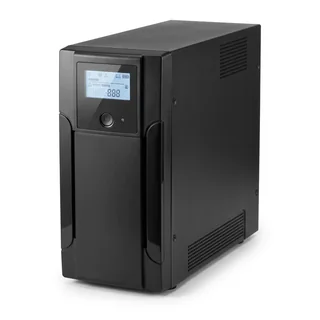
With PoE, the switch powers every camera. Put the switch, the NVR and the router on a UPS, and the whole system keeps recording through a power cut.
Where to start
- Browse PoE switches and cloud-managed switches.
- Cabling: UTP cables and racks and cabinets.
- Cameras and recorders: IP solutions and NVR and DVR recorders.
- Keep it all running: UPS and power protection.
- Want us to calculate the budget and cable routes? Book an installation visit or contact us.