Keeping Internet and Cameras On During Power Cuts: How to Choose a UPS
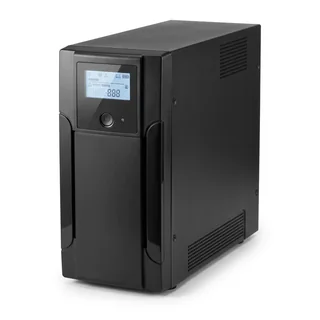
When the power goes out, the cameras that should be recording go dark and the house loses internet at the same moment. A correctly sized UPS keeps the essentials running: the router, the recorder and the cameras. The trick is sizing it for the devices you actually need, not for everything plugged in near the TV.
Decide what must stay on
Make a short list. For most homes and small shops it looks like this:
- The internet router or ONT, and any mesh unit or switch between it and your devices.
- The NVR or DVR and its hard disk.
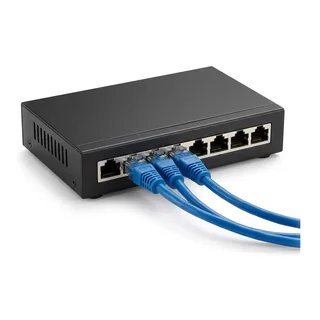
- The PoE switch that powers the IP cameras, or the camera power supply for an HDCVI system.
- Optionally, the video intercom or an alarm panel.
Leave out heaters, kettles, air conditioners and laser printers. They draw far more power and would need a much bigger system.
VA and watts: read both numbers
Every UPS has two ratings: volt-amperes (VA) and watts (W). Watts are the real power your devices consume. VA is the apparent power, which is always equal to or higher than watts. The two are linked by the power factor:
Watts = VA x power factor
Small UPS units often have a watt rating well below their VA rating, so a "1000 VA" unit may be rated for only about 600 W. Schneider Electric (APC) and Eaton both stress that the load must stay within both ratings. The practical rule: add up the watts of your devices and compare them with the UPS watt rating, not the VA number on the front of the box.
How to find each device's power
- Look at the label on the device or its power adapter. Adapters show output volts and amps; multiply them for maximum watts (12 V x 1 A = 12 W). Real consumption is usually lower than this maximum.
- Check the datasheet. NVR datasheets usually give consumption without the hard disk; add a few watts for each disk.
- For IP cameras, use the camera's maximum power from its datasheet. Consumption rises at night when the IR lights are on.
- A plug-in power meter gives the most accurate reading if you have one.
Worked example: router, NVR and four cameras
Here is an example setup with illustrative figures. Use the numbers from your own devices.
| Device | Power (example) |
|---|---|
| Internet router | 12 W |
| NVR with one surveillance hard disk | 15 W |
| 4 IP cameras at up to 6 W each, via PoE | 24 W |
| PoE switch's own consumption | 6 W |
| Total | 57 W |
Step 1: add a margin
Add about 25% so the UPS is not working at its limit and you have room for one more camera: 57 x 1.25 = about 71 W. Almost any small UPS can supply that, so the real question is runtime.
Step 2: estimate runtime
Runtime depends on the energy stored in the battery. A 12 V 7 Ah battery, a common size in small UPS units, holds about 12 x 7 = 84 Wh on paper. In practice you get less: the inverter loses part of the energy converting DC to AC, and lead-acid batteries deliver less than their rating, especially when they are older or hot. A cautious working figure is about 70% of the label:
84 Wh x 0.7 / 57 W = about 1 hour
This is a rough estimate. The manufacturer's runtime chart for the exact model is the reference, and you should expect less runtime as the battery ages.
Step 3: size for your outage
If the power cuts in your area last two hours, you need roughly 57 W x 2 h / 0.7 = about 165 Wh of battery. That points to:
- A UPS with two internal batteries, or
- A long-backup UPS model that accepts external batteries, or
- Splitting the load: one UPS for the network and recorder, and a DC mini UPS for the router.
DC mini UPS for the router
Many routers and ONTs run from a 12 V or 9 V DC adapter. A DC mini UPS sits between the adapter and the router and feeds DC directly, so there is no DC-to-AC conversion loss. For a router alone this is often the most efficient option. Match the output voltage and connector to your router exactly; the label on the original adapter tells you both.
Standby, line-interactive or online
- Standby (offline): the cheapest type. It passes mains power straight through and switches to battery when power fails. Fine for a single router or PC.
- Line-interactive: adds automatic voltage regulation (AVR), correcting high and low voltage without using the battery. A good choice for home and small-office network and camera equipment, and the most common type at this size.
- Online double-conversion: the load always runs from the inverter, so there is no transfer time when power fails, and the output is isolated from voltage swings. Recommended for sensitive or critical equipment and for sites with poor power quality, at a higher price.
Also check the output waveform. Some lower-cost units produce a stepped approximation of a sine wave when on battery. Most adapters and small devices accept it, but equipment with active power factor correction power supplies is better served by a pure sine wave output.
Batteries and placement
- Sealed lead-acid UPS batteries typically need replacement every few years. Heat shortens their life considerably, so keep the UPS in a cool, ventilated place, not in a closed cabinet or a hot roof room.
- Test the UPS every few months by switching off the mains and watching how long it holds.
- Do not connect a UPS output to another UPS or to a power strip with a heater on it.
- For longer backup across a home, look at home battery systems in the same category, which store far more energy than a desktop UPS.
Where to start
- Browse UPS and power protection, including long-backup units and home batteries.
- Need a compact cabinet for the router, switch and UPS? See racks and cabinets.
- Planning cameras at the same time? Start with NVR and DVR recorders.
- Not sure what your devices draw? Contact us with the model list, or book an installation visit.