Smart Home Starter Guide: Switches, Relays, Sensors and the Neutral Wire Question
A smart home does not have to start with a big project. The most useful first steps are small: lights you can switch off from bed, a water heater that runs on a schedule, a message when the front door opens while you are away. This guide explains the building blocks and the one wiring question that decides which products fit your home.
Start with problems, not gadgets
List three or four things that annoy you or cost you money:
- Lights left on in empty rooms or outside all night.
- Wanting outdoor and garden lights to turn on at sunset by themselves.
- Not knowing whether the front door or the balcony was left open.
- A water leak under the kitchen sink going unnoticed.
- Wanting the home to look occupied while you travel.
Each item points to a specific device. Buy for that, test it for a few weeks, then expand.
The building blocks
Smart wall switches
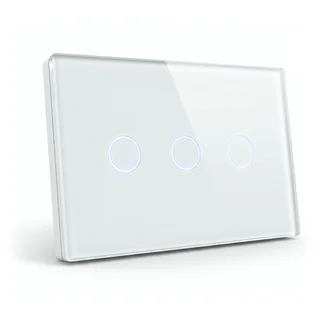
These replace your existing wall switch with a touch or push-button panel that you can also control from an app, by schedule or by voice assistant. They are the cleanest option for lights because the switch on the wall keeps working for everyone in the house. Check the gang count (one, two or three switches per panel) and the size of your wall box.
Smart relays (DIY switches)
A smart relay is a small module that fits behind an existing switch or inside a fixture. You keep your current switch plates, and the relay adds app control. Relays suit homes where you like the existing switches, and they are also used for fans, pumps and outdoor lighting. Respect the rated current on the label. For high loads, such as a water heater or a pump motor, use a device rated for that load, or let the relay drive a contactor installed by an electrician.
Smart plugs
The easiest starting point: no wiring at all. Use them for lamps, a router reboot schedule, a fan or a kettle timer, within the plug's rated load.
Sensors
- Door and window sensors: alerts when a door opens, and triggers for lights.
- Motion sensors: corridor and stair lights that turn on when someone walks by.
- Temperature and humidity sensors: useful for a server cupboard, a storeroom or a baby's room.
- Water leak sensors: under sinks, water heaters and washing machines.
- Smoke detectors: smart models send a phone alert as well as sounding locally.
Wi-Fi or Zigbee
This is the main technical choice.
Wi-Fi devices connect directly to your router. No hub is needed, setup is quick and they suit a few devices. The downsides: each one adds load to your router, they use more power (which rules out small battery sensors with long battery life), and coverage depends on your Wi-Fi. Many smart-home Wi-Fi devices work only on 2.4 GHz.
Zigbee devices use a separate low-power radio standard built on IEEE 802.15.4 and maintained by the Connectivity Standards Alliance. They need a hub, also called a bridge or gateway, that connects them to your network and the app. Mains-powered Zigbee devices such as relays and switches act as routers and pass messages on, so the network gets stronger as you add devices. Battery sensors can run for a long time because the radio uses so little power.
Rule of thumb: for a handful of plugs and switches, Wi-Fi is fine. If you plan many sensors, or want a whole apartment or villa automated, start with a Zigbee hub.
Hubs and panels
A hub is the brain of a Zigbee system. Some are small bridges with no screen; others are wall panels with a touchscreen that also act as Zigbee gateways and let you control scenes from the wall. With Sonoff, everything is managed in the eWeLink app, and some devices can keep working on the local network when the internet is down. Check this per model if it matters to you.
You may also see Matter on newer devices. It is a standard designed to let devices work across ecosystems such as Apple Home, Google Home and Amazon Alexa. If you already use one of these, look for Matter support or a clear integration.
The neutral wire question
This decides which switches and relays you can install, so check it first.
Most smart switches and relays need constant power to keep their radio on. They get it from the live and neutral wires. In many homes, though, the wall switch box only has the live wire and the wire going to the lamp, because a traditional switch never needed a neutral. The neutral goes straight to the light fitting.
How to check (with the breaker switched off, or by a qualified electrician):
- Remove the switch plate and look at the wires. If you only see two wires on a single switch, you probably have no neutral there.
- A bundle of wires capped together at the back of the box is often the neutral.
- If in doubt, ask an electrician to confirm with a tester.
If there is no neutral, you have options:
- No-neutral switches and relays: designed to draw a small current through the lamp instead. The Sonoff ZBMINI-L2, for example, is a Zigbee relay that does not need a neutral; it requires a Zigbee hub and a minimum lamp load of 3 W. Some low-power LED lamps may flicker or glow faintly with no-neutral devices, so check the minimum load.
- Relay at the light fitting, where both live and neutral are available, with a wireless remote or scene switch on the wall.
- Run a neutral to the switch box during renovation. In a new build, ask the electrician to bring a neutral to every switch box; it keeps all options open.
A simple starter plan
| Goal | Devices |
|---|---|
| Lights by schedule and app | Smart wall switches or relays behind existing switches |
| Door left open alerts | Zigbee door sensor plus hub |
| Corridor lights at night | Motion sensor plus smart switch, automation in the app |
| Leak protection | Water leak sensors under sinks and the water heater |
| Lamps and small appliances | Smart plugs |
Switch off the breaker before touching any wiring. If you are not comfortable working on mains wiring, have a qualified electrician install switches and relays.
Where to start
- Easiest first step: smart plugs.
- Lights: Wi-Fi wall switches, DIY smart switches and relays and smart lighting.
- Sensors and hubs: sensors and detectors and hubs, panels and controls.
- Planning a full apartment or villa? Book an installation visit or contact us.